
Web Search
The LLM Chat includes three built-in web tools:
- Web Search — searches the web and returns results with numbered source links.
- URL Scraping — visits specific URLs and extracts their full visible text.
- Deep Website Visit — explores one website for a goal: it finds the site's pages, reads the relevant ones and returns what they say, with citations.
 Linkup is the default provider — EU-hosted, GDPR-compliant, with zero data retention. No additional setup is needed. On Cloud it is not possible to become an admin, so this provider cannot be changed.Linkup
 Brave Search
 Serper
 Exa
ExaWeb Search
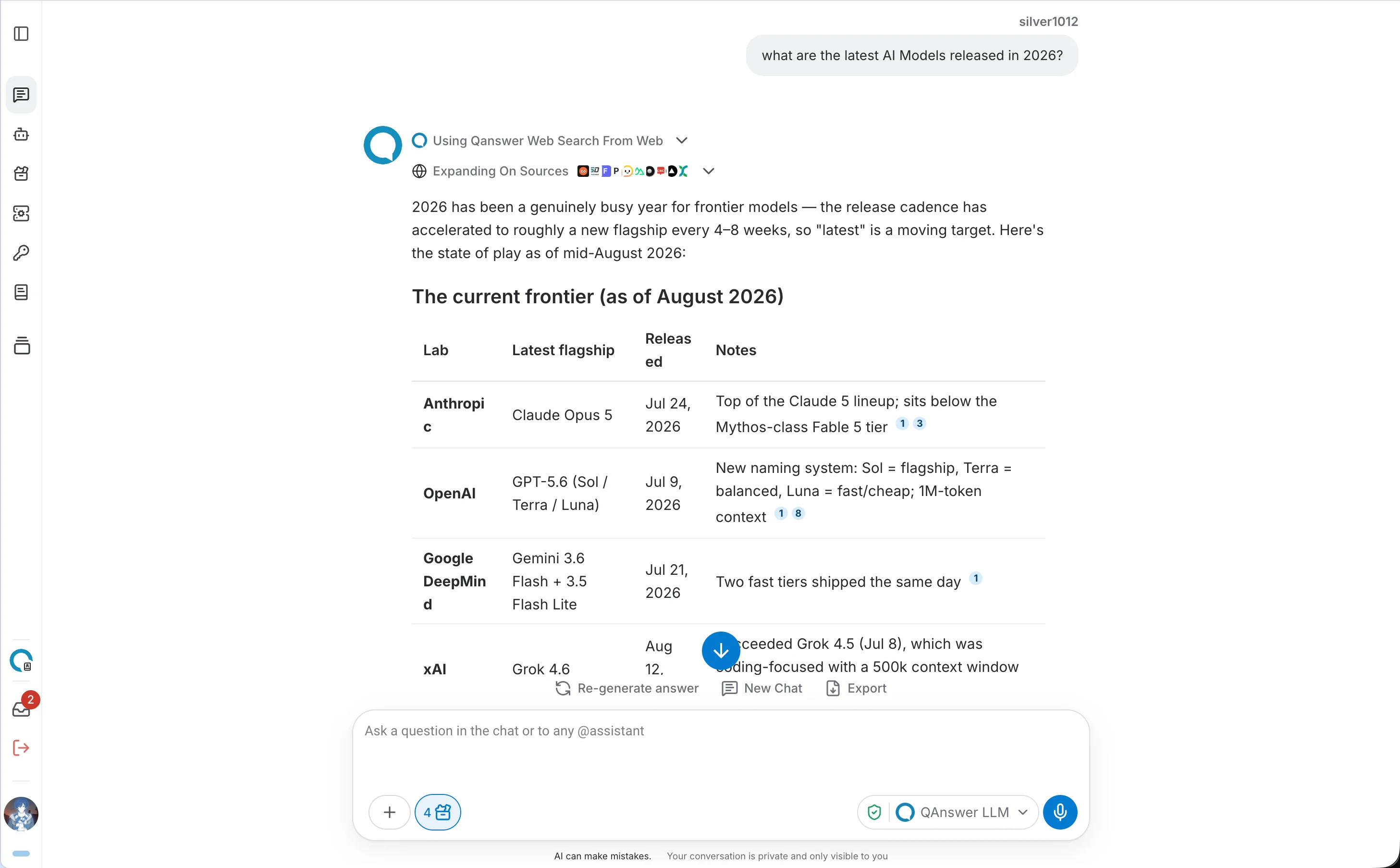
When you ask a question that benefits from current information, the LLM searches the web and builds its answer from the results. Each claim is linked to a numbered source so you can verify it directly.
URL Scraping
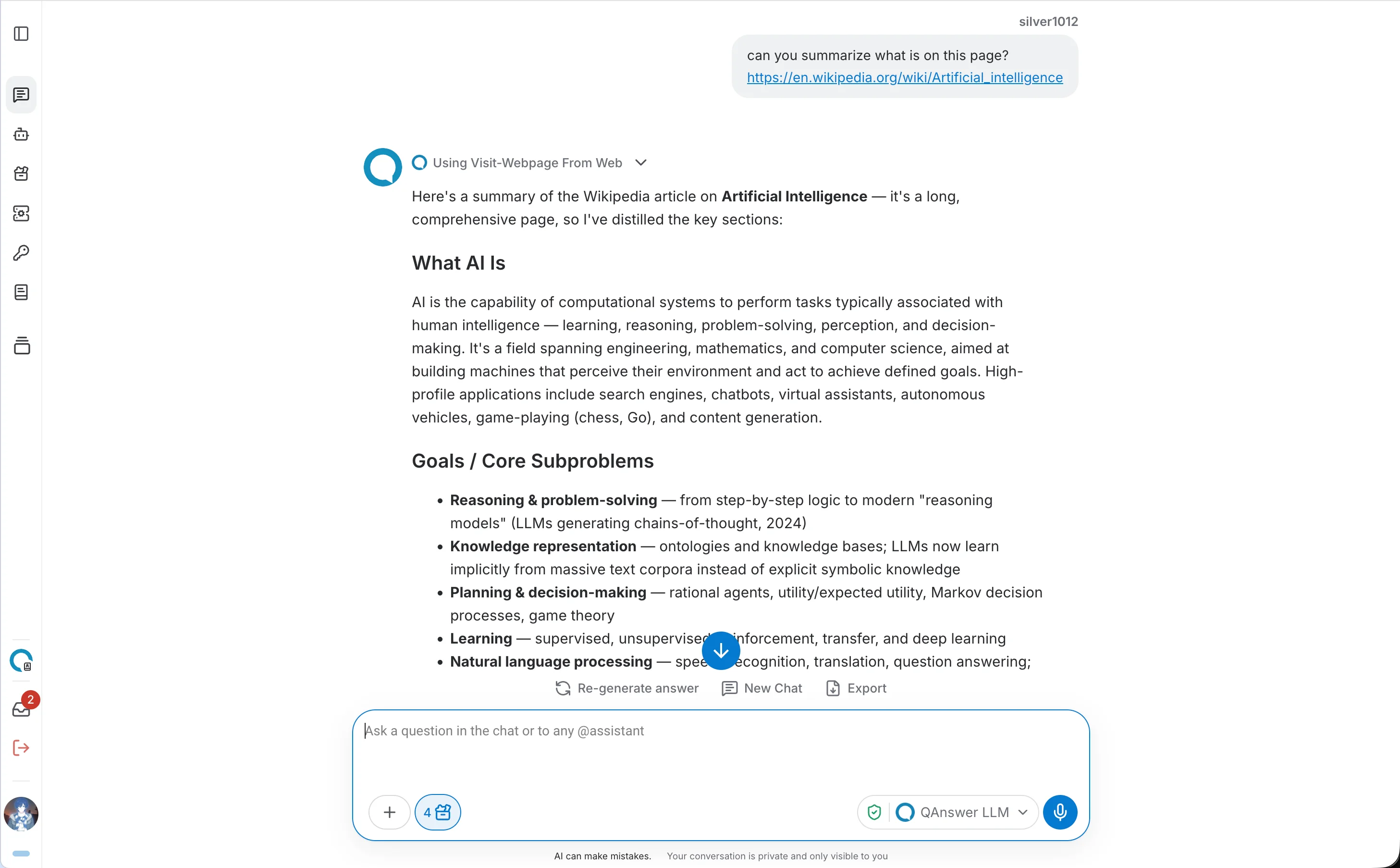
The LLM can open individual pages and read their full content. This works automatically alongside web search, or by explicitly including a URL in your question.
Deep Website Visit
Use it when the answer is spread over many pages of one site, for example “Explore https://doc.qanswer.ai and tell me how to create an API key”. The LLM lists the site's pages from its sitemap and links, picks the ones worth reading for your goal, reads them, and answers from what they contain, citing each page it used. It is part of the Web action, so it is available wherever Web is switched on and needs no extra setup.
While the visit runs, the tool call shows a live progress card: the site being explored, the current step (listing the site's pages, reading pages, deciding if more pages are useful), and how many pages were read out of the pages found on the site.
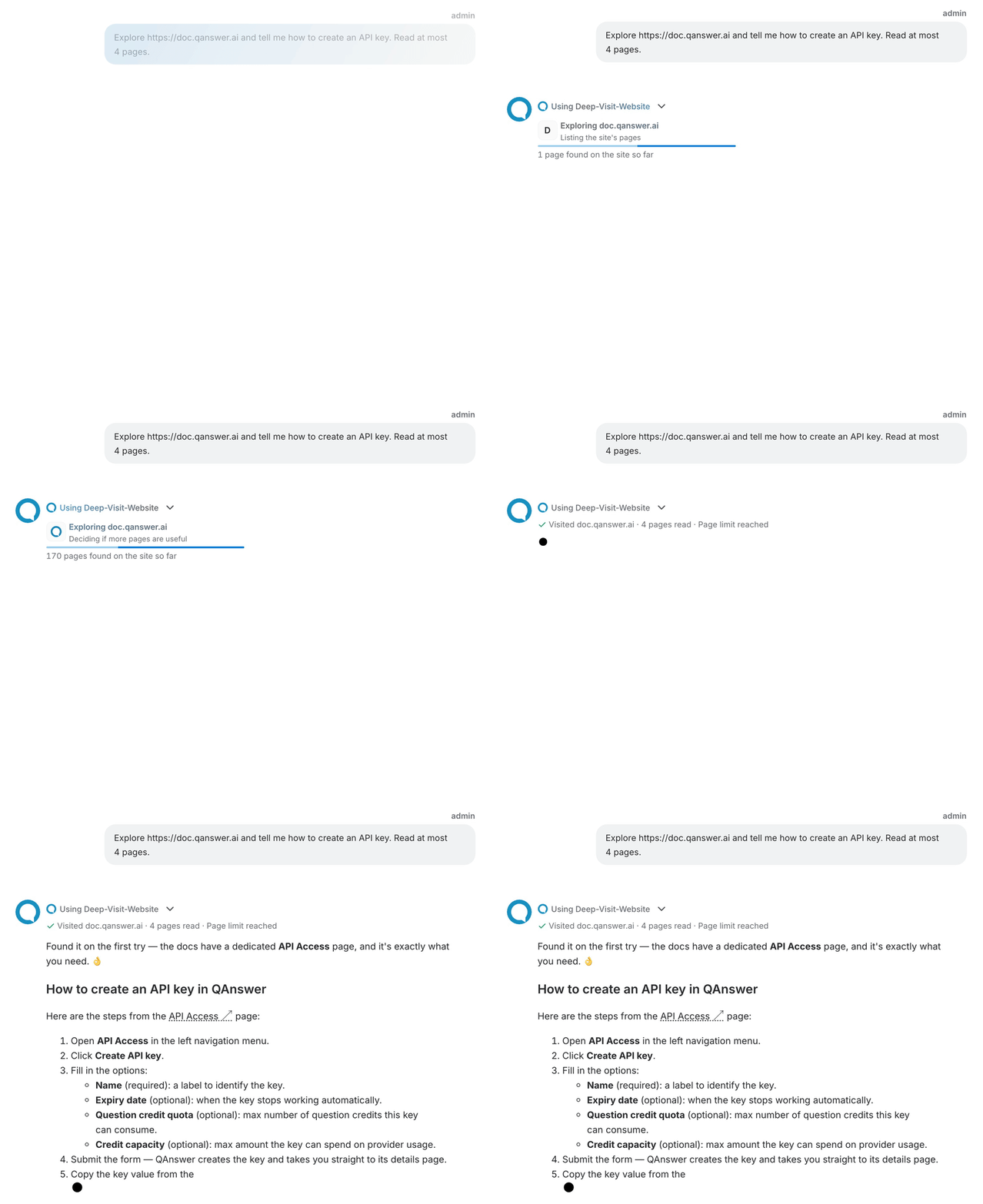
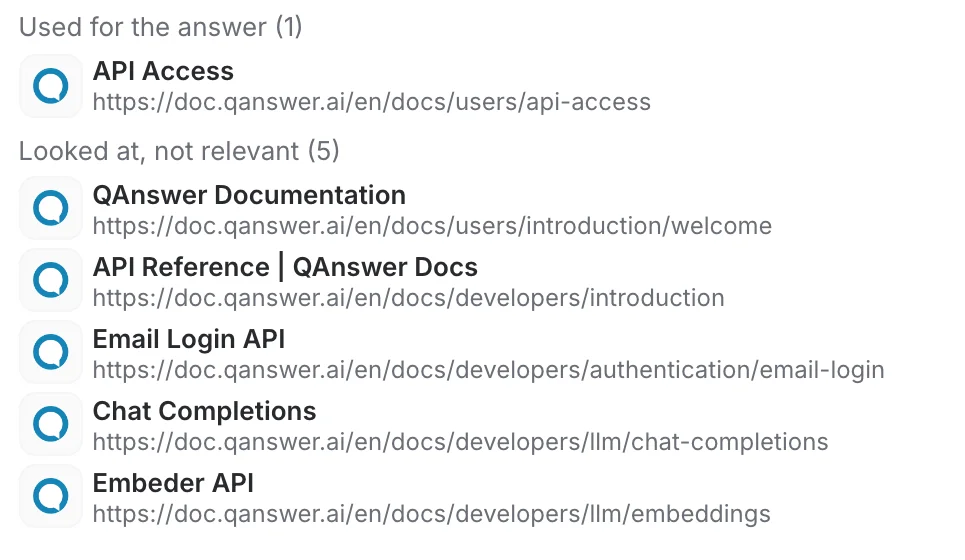
When the visit ends, the card becomes one summary line with the number of pages read and why it stopped, for example “Page limit reached”. Other reasons are “Whole site covered”, “Enough pages found”, “No relevant pages found”, “Time budget reached”, “Stopped” and “Stopped early after an error”. Open the tool call to see the pages in two lists: “Used for the answer” and “Looked at, not relevant”.
To end a visit early, click Stop answering. The visit returns immediately and the LLM answers from the pages read so far.
A visit reads at most 50 pages and runs for at most 240 seconds. You can ask for fewer pages in your question, for example “read at most 6 pages”. When a limit is reached, the site may hold more pages: ask for a follow-up visit with a narrower goal or section. Only public web pages can be visited.
The pages are analysed by the model selected for the conversation, with many short calls per visit. Their tokens are recorded under their own usage origin, web extraction, separate from the chat answers.